

Enable popup promotions
Access your store settings
Go to your Dashboard and click Edit store page under the Admin area of your whop, then click the Edit details button on the store page.
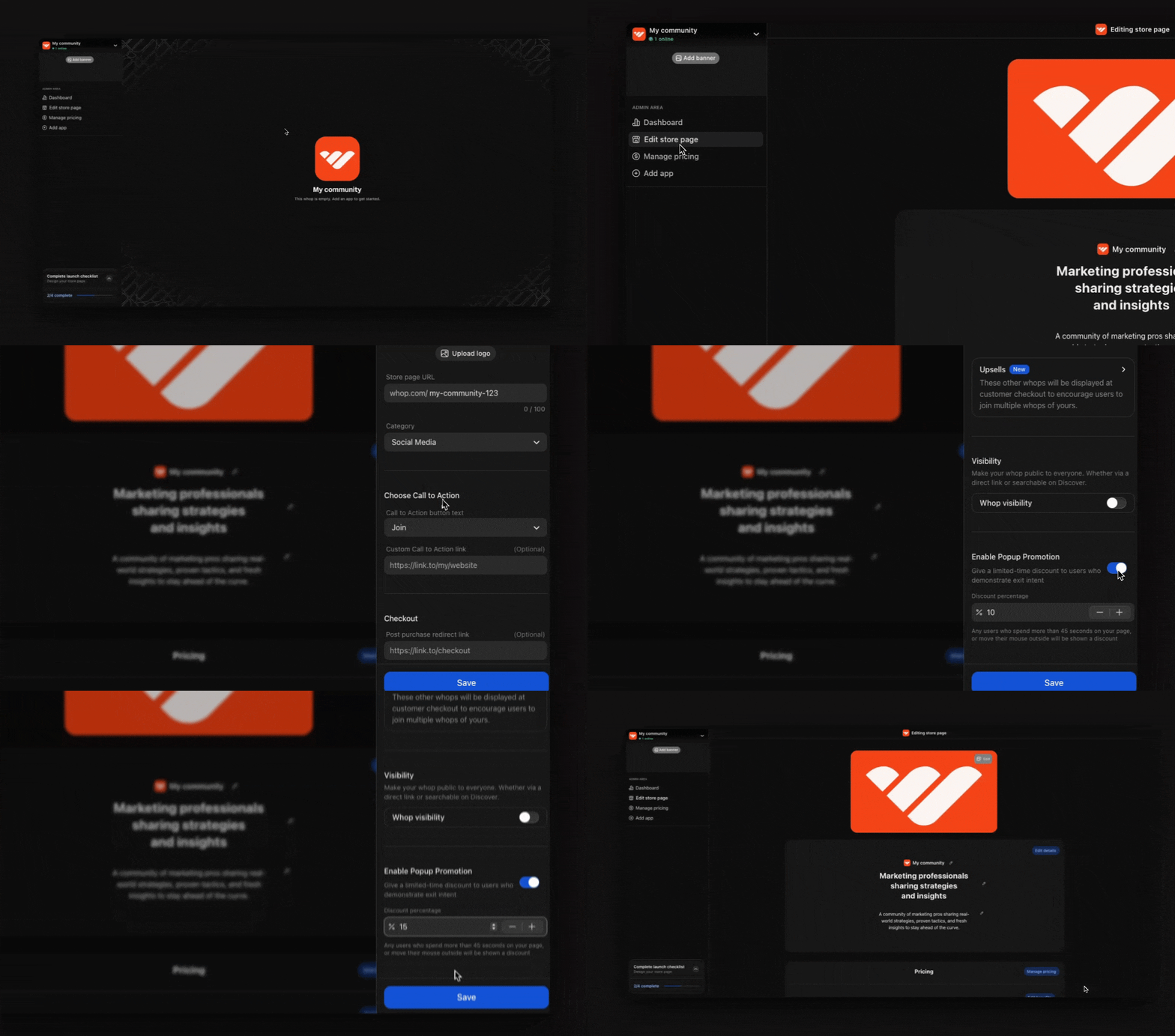
Set up your popup promotion
When you enable popup promotions, you’ll need to configure the settings:- Set your discount percentage: Use the Discount percentage field to decide how much of a deal you want to offer. This is what visitors will see when they’ve been browsing for 45+ seconds or are trying to leave your store page (showing exit intent).
View and contact your leads
When popup promotions are running, you can view your leads and follow up with them directly.Check your leads
Go to Dashboard > Leads to see everyone who has interacted with your popup promotions.
Review lead details
For each lead, you’ll find:
- Username
- Which whop they visited
- Email address
- Visit date
Reach out to your leads
Click the Send message button next to any lead to contact them directly and encourage them to complete their purchase.